
Secure Hard Drive Disposal for Businesses in 2026
Learn secure hard drive disposal methods for businesses in 2026, ensuring data protection and environmental compliance with proper destruction techniques.
Introduction
Every year, millions of computers are recycled, retired, or resold, often containing sensitive data that businesses assume has been erased. The reality is far more complex. Emptying folders, hitting "empty trash," or performing a quick factory reset may feel sufficient, but data forensic tools can easily recover everything from a deleted disk in minutes. For businesses handling customer information, financial records, or regulated data, this gap between perceived security and actual risk creates significant exposure.
When discussing hard drive disposal, it's crucial to differentiate between mere deletion and true disposal. In our editorial review of vendor profiles, we noticed a recurring pattern: the certificate of data destruction referenced in marketing material often differed structurally from the certificate outlined in the vendor's published methodology. This discrepancy can lead to significant compliance risks, especially when dealing with regulations like HIPAA, PCI DSS, SOX, and GDPR.
Secure hard drive disposal in 2026 requires understanding both the technical methods that make data irretrievable and the documentation practices that prove destruction occurred. Whether you're managing a single office refresh or enterprise-wide hardware retirement, the process demands systematic inventory, verified destruction, and chain-of-custody records that survive audit scrutiny. The choice between secure data destruction services and in-house methods depends on your compliance obligations, volume, and ability to maintain documentation that regulators will accept.
This guide walks through the complete hard drive disposal process—from initial inventory to final documentation—ensuring your business protects sensitive data while meeting environmental and regulatory requirements. The goal is not just to destroy drives, but to create an auditable record that demonstrates due diligence when questioned months or years after disposal.
Prerequisites
Before disposing of hard drives, businesses must complete several critical preparations to ensure data security, regulatory compliance, and operational continuity. Proper preparation prevents the two most common disposal failures: incomplete data removal and lost chain-of-custody documentation.
Inventory and Classification
Catalog every drive by serial number, location, and data sensitivity classification. Drives that stored regulated data—patient records, payment card information, financial statements—require different destruction standards than those holding only general business files. This inventory becomes the foundation of your chain-of-custody documentation, which auditors will expect to see serialized at the asset level, not summarized in batches.
Data Backup and Verification
Always back up important files to external drives or cloud storage before removing a hard drive to prevent data loss. After backup, verify file integrity by spot-checking critical documents and testing restore procedures. Many businesses discover backup failures only after the original drive has been destroyed.
Selection of Destruction Method
Choosing the correct data erasure standard depends on the type of data stored on the drive. For general business data, NIST 800-88 compliant overwriting may suffice. For drives holding highly sensitive information, physical destruction—shredding, crushing, or degaussing—provides higher assurance. The certificate of destruction you receive should specify which method was applied to each serialized asset.
Vendor Evaluation (If Outsourcing)
Choosing the right hard drive destruction service helps companies safely dispose of their hard drives while maintaining security and compliance. When evaluating vendors, verify that the certificate of data destruction referenced in their marketing material matches the certificate structure outlined in their published methodology. This alignment matters because the documentation you receive must withstand regulatory scrutiny, not just satisfy a procurement checkbox.
Step-by-Step Guide to Hard Drive Disposal
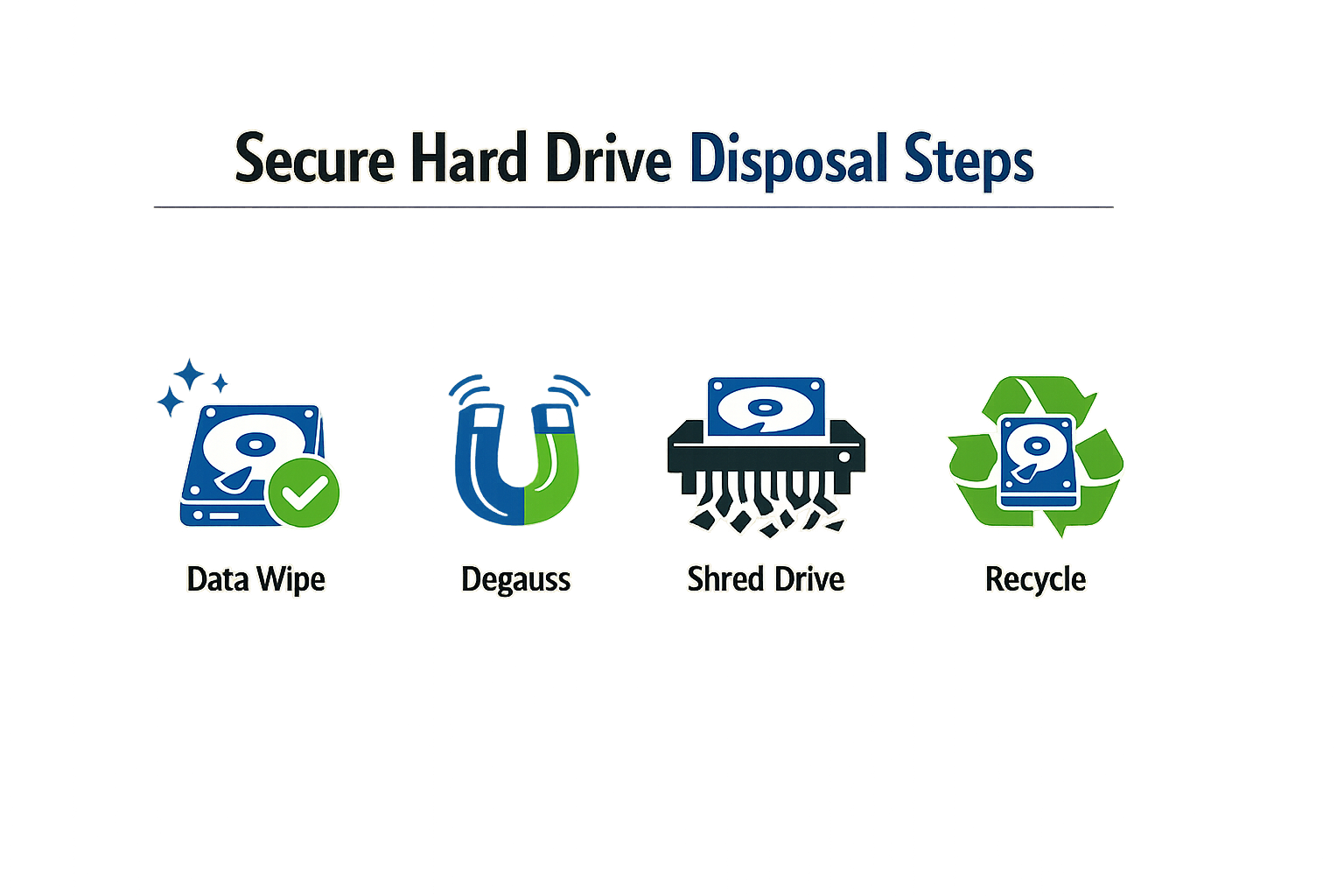
Secure hard drive disposal requires a methodical approach that balances data destruction rigor with operational efficiency. The steps below guide businesses through the complete disposal lifecycle, from initial asset identification to final documentation.
Step 1: Inventory and Classify All Drives
Step 1
Catalog every drive by serial, location, and data sensitivity
Before any drive leaves your facility, create a serialized inventory. Record the manufacturer serial number, physical location, system hostname, and data classification tier (e.g., ePHI, PCI, general business). This inventory becomes the foundation of your chain-of-custody documentation and ensures no asset is overlooked during disposal.
For drives containing regulated data, flag them for enhanced destruction methods. Drives that held only non-sensitive data may qualify for less rigorous processes, but when in doubt, treat all drives as if they contained your most sensitive information.
Step 2: Remove Drives from Systems
Shut down each system completely and disconnect all power sources. Open the chassis and locate the hard drive bay. Disconnect both the data cable (SATA, SAS, or IDE) and the power connector. Extract the drive carefully, noting any mounting brackets or screws that need removal.
Label each drive immediately after removal with a tamper-evident asset tag that matches your inventory record. This step prevents mix-ups when handling batches of drives and maintains traceability throughout the disposal process.
Step 3: Choose Your Destruction Method
Select a destruction method aligned with your data sensitivity and compliance obligations. The primary methods include:
- Shredding: Physically grinds drives into particles smaller than industry standards (typically 2mm or less). Widely adopted in data centers and government agencies because it renders data completely unrecoverable.
- Degaussing: Exposes drives to a strong magnetic field that permanently erases data and renders the drive unusable. Effective for magnetic media but does not work on solid-state drives.
- Wiping: Uses software to overwrite all sectors multiple times according to standards like NIST 800-88. Suitable when drives will be reused or resold, but requires verification that the wipe completed successfully.
- Physical destruction: Crushing, drilling, or disassembling platters manually. Lower cost but less standardized than shredding; documentation requirements are stricter.
| Method | Data Recovery Risk | Drive Reuse | Compliance Documentation |
|---|---|---|---|
| Shredding | None | No | Certificate of destruction with particle size |
| Degaussing | None (magnetic only) | No | Certificate with field strength verification |
| Wiping | Low (if verified) | Yes | Sector-by-sector verification report |
| Physical destruction | Low to none | No | Photographic or witness documentation |
For most businesses handling regulated data, shredding or degaussing provides the clearest audit trail. Wiping is appropriate when asset recovery value justifies the additional verification overhead.
Step 4: Execute Destruction with Documentation
If you are performing destruction in-house, run each drive through your chosen method and capture serialized proof. For shredding equipment, photograph the drive entering the shredder and retain the timestamp. For wiping, save the full verification log that maps each drive serial to its wipe result.
If you are outsourcing to a secure data destruction service, verify that the vendor provides serialized certificates that match your inventory. The certificate should list each drive by serial number, destruction method, date, facility location, and the name of the technician who performed the work.
Step 5: Verify Destruction and Update Records
Cross-reference your destruction certificates against your original inventory. Every serial number that entered the disposal process must appear on a destruction certificate. Flag any discrepancies immediately and investigate before closing the disposal cycle.
Update your asset management system to reflect the disposal. Record the destruction date, method, certificate number, and the name of the vendor or internal team that performed the work. Retain all certificates and supporting documentation for the full retention period required by your industry regulations (typically seven years for HIPAA, PCI, and SOX).
Step 5
Archive certificates in a tamper-evident repository
Store destruction certificates in a system that logs access and prevents retroactive modification. Many businesses use a dedicated compliance document repository with role-based access controls. This ensures that when an auditor requests proof of disposal three years later, you can produce the exact certificate without gaps or ambiguity.
Step 6: Dispose of Residual Materials Responsibly
After destruction, the remaining material—shredded metal, crushed platters, circuit boards—must be handled according to environmental regulations. Engage a certified recycler that holds R2 or e-Stewards certification to ensure downstream processing meets environmental and data security standards.
Request a certificate of recycling that documents the final disposition of materials. This certificate closes the loop on your disposal process and demonstrates environmental compliance alongside data security.
Troubleshooting Common Issues
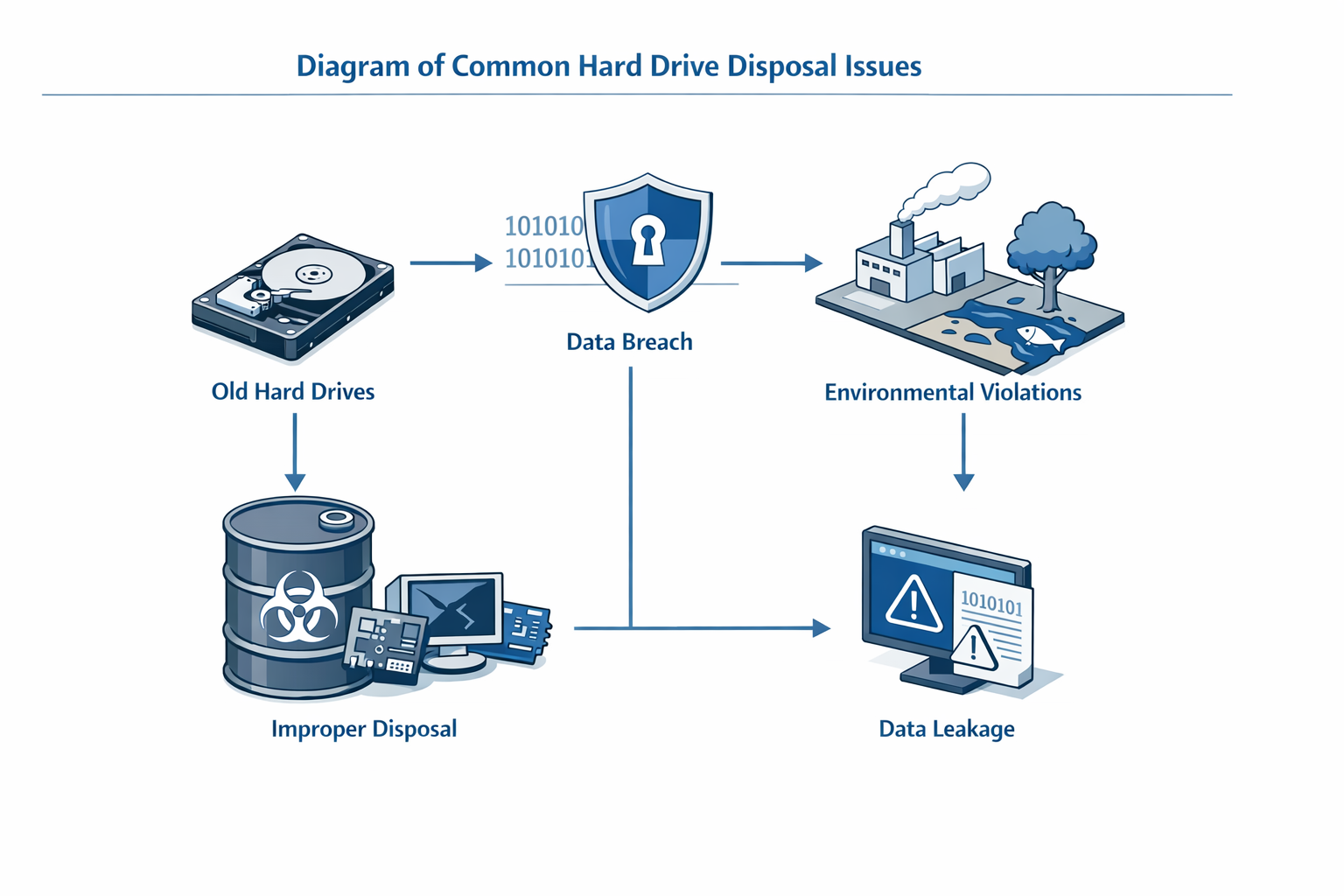
Even with careful planning, businesses often encounter obstacles during secure hard drive disposal. Understanding these common failure modes and their solutions prevents compliance gaps and operational delays.
Deleted Files Still Recoverable
The most frequent mistake is assuming deletion equals destruction. Emptying your folders in a recycle bin, and hitting 'empty trash', or even doing a quick factory reset may feel sufficient for a hard disk disposal procedure. But doing this alone is not enough.
If you discover drives were prepared using only file deletion, immediately quarantine them and apply a verified sanitization method—either cryptographic erasure, overwrite per NIST 800-88, or physical destruction. Document the gap in your incident log and adjust your procedures to prevent recurrence.
Certificate Does Not Match Actual Destruction Method
When reviewing vendor documentation, you may find the certificate of destruction references a different process than what the vendor's published methodology describes. This structural mismatch creates audit risk.
Request a side-by-side comparison: the certificate template, the methodology document, and the actual certificate issued for your batch. If they conflict, ask the vendor to reconcile them in writing. For guidance on what certificates should prove, see Certificate of Destruction: The Ultimate Guide to What It Proves.
Chain-of-Custody Gaps After Asset Leaves Facility
Drives may leave your custody with full documentation, but the trail breaks when the vendor subcontracts downstream processing without disclosure. You receive a certificate, but no serialized record connecting your specific assets to the destruction event.
During vendor selection, require written confirmation that no subcontracting occurs without prior notice, and that serialized chain-of-custody extends through final destruction. If a gap is discovered post-engagement, immediately request serialized records and consider this a material contract breach.
Incomplete Erasure on Certain Drive Types
Some drive technologies resist standard overwrite methods. Shingled Magnetic Recording drives, for example, may retain data in overlapping tracks even after a full overwrite pass. Similarly, factory-reset network devices often retain configuration data in hidden partitions.
If post-verification testing reveals incomplete erasure, immediately escalate to physical destruction and document the failure mode. Update your asset inventory to flag problematic drive models for automatic physical-destruction routing in future cycles.
Vendor Certification Does Not Align with Your Compliance Framework
A vendor may hold R2 or e-Stewards certification, but your audit framework requires specific controls those standards do not address. The certification alone does not guarantee alignment with your regulatory obligations.
Map your compliance requirements to the vendor's documented controls before engagement. If gaps exist, negotiate contractual addenda that impose the missing requirements. Certification is a starting point, not a substitute for due diligence.
Conclusion
Secure hard drive disposal is not optional—it's a fundamental business requirement that protects your organization from data breaches, regulatory penalties, and reputational damage. Every year, millions of computers are recycled, retired, or resold, often containing sensitive data that could expose your business to significant risk if not properly destroyed. The steps outlined in this guide—inventorying assets, selecting the appropriate destruction method, choosing a certified vendor, and maintaining thorough documentation—form the foundation of a defensible disposal program.
The distinction between deletion and true disposal cannot be overstated. In our editorial review of vendor profiles, a recurring pattern emerged: the certificate of data destruction referenced in marketing material often differed structurally from the certificate outlined in the vendor's published methodology. This gap creates compliance vulnerabilities that surface during audits, not during normal operations. The Morgan Stanley case remains the canonical reference because the failure wasn't in destruction methodology—it was in the chain-of-custody documentation that should have survived the auction and didn't.
Whether you choose physical destruction, cryptographic erasure, or degaussing, the method matters less than the documentation proving it happened. Certificates must specify serial numbers, destruction dates, methods used, and the party responsible for each step. Generic batch certificates that lump drives together fail the moment an auditor asks for individual asset accountability.
For businesses managing HIPAA, PCI DSS, SOX, or GDPR obligations, secure hard drive disposal is where compliance meets operational reality. The cheapest vendor is the one whose paper trail you trust enough to hand the auditor without flinching. Prioritize vendors with current certifications (R2, e-Stewards, NAID AAA), transparent subcontracting policies, and serialized chain-of-custody practices. If your vendor can't answer basic questions about their downstream partners or certificate structure, that's not a vendor—that's a liability.
As you implement or refine your disposal program, remember that the goal isn't just destruction—it's provable destruction. Build processes that assume you'll need to defend every decision in front of a regulator, and you'll never be caught off guard. The investment in proper secure data destruction services today prevents the catastrophic costs of a breach tomorrow.
Learn how to properly dispose of hard drives in 2026 with our complete guide for businesses, ensuring data security and environmental compliance.
Related reading
Data Disposition: Linking Information Lifecycle Management to ITAD