
How to Dispose of Hard Drives Safely: A Step-by-Step Guide
Learn how to dispose of hard drives safely with our step-by-step guide, ensuring data security and environmental responsibility.
Introduction
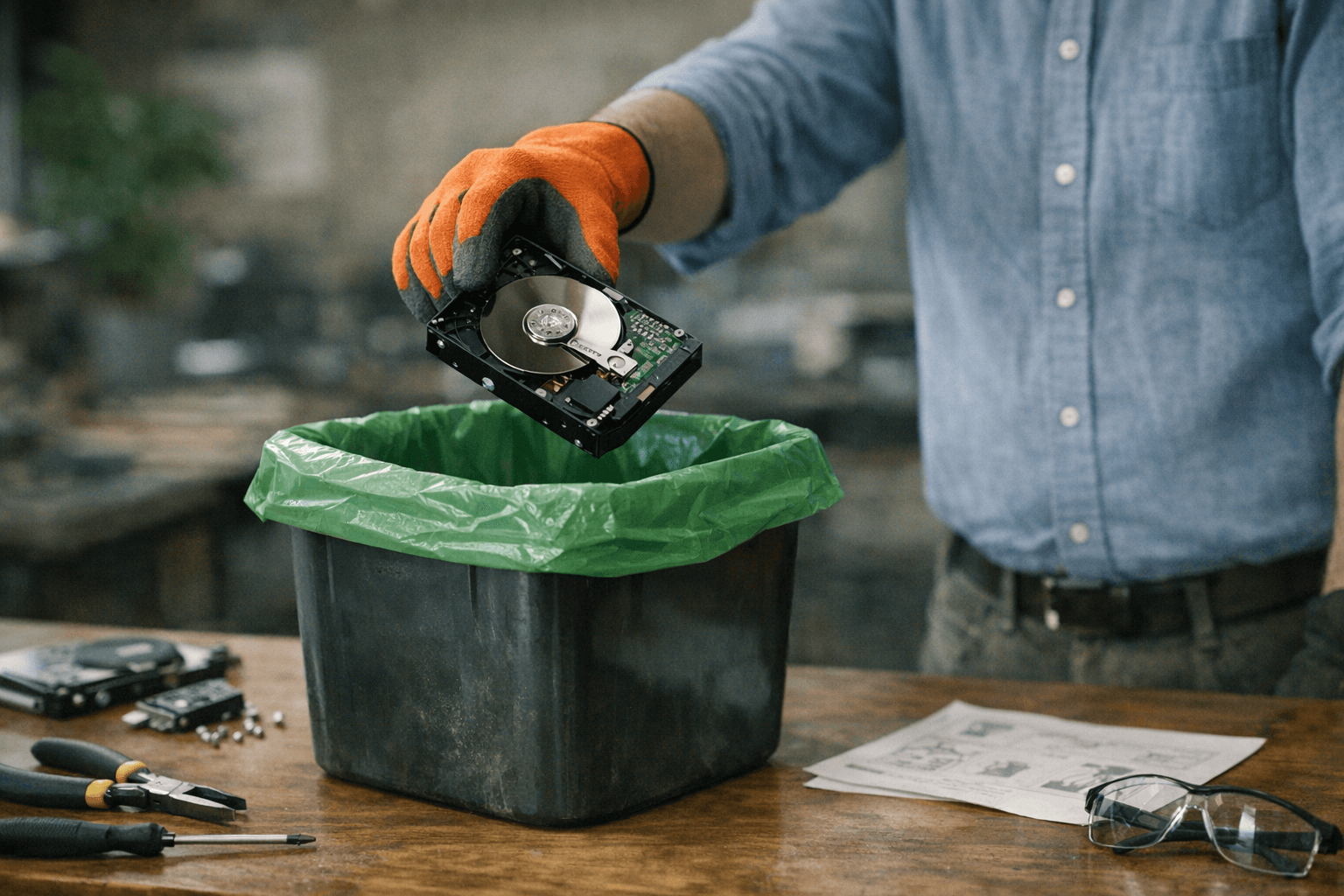
Disposing of hard drives safely is crucial for protecting sensitive data and ensuring compliance with regulations. Proper disposal methods prevent unauthorized access to personal information and mitigate environmental impact.
Why Disposing of Hard Drives Demands a Documented Process
The certificate of data destruction is the operator's primary documentary defense in a post-incident regulatory review. It is also, in our review of vendor profiles and enforcement records, the document with the highest variance in what it actually means. When a financial institution decommissioned two data centers in 2016, the operator transported hard drives to a subcontractor still mounted in their cabinets, contrary to internal policy. Nearly a year later, an IT consultant in Oklahoma purchased drives from an online auction and contacted the institution — he had access to customer data on those devices. Forensic analysis of recovered drives revealed at least 140,000 pieces of customer personally identifiable information, and the majority of the drives from that decommissioning remain missing.
That case is canonical because it names the failure modes most enterprises assume cannot happen to them: the subcontractor sold equipment the prime vendor believed was under contract for destruction, the chain of custody broke at the point of transport, and the documentary record — what the auditor and regulator later demanded — did not exist. The cumulative cost exceeded $100 million in fines, remediation, and reputational damage. For a detailed breakdown of what auditors expect in destruction certificates, see our guide on data destruction certificate components and auditor focus.
Disposing of hard drives safely is not a technical problem solved by a single software pass or a hammer. It is a process problem requiring inventory, method selection, vendor verification, and documentation that holds up in discovery. The environmental dimension is structurally linked: drives that enter informal disposal channels — resale without sanitization, export to uncontrolled processors, or landfill — create both data-breach risk and regulatory exposure under e-waste frameworks. Certified ITAD operators address both through audited processes, but only if the enterprise IT team knows what to specify in the RFP and what to verify in the contract.
The Operator's Posture: What This Guide Covers
This guide walks through the full disposal process from the enterprise operator's perspective. We cover the prerequisites — what you must know about your inventory and your regulatory posture before any vendor sees the list. We provide step-by-step procedures for method selection, vendor engagement, and post-disposal verification. We address the complete lifecycle of disposing of hard drives, including common failure modes: incomplete erasure on shingled magnetic recording drives, factory-reset devices retaining configuration, and certificates issued without serial-level traceability.
The goal is an audit-defensible outcome: a documented record showing what left your facility, who processed it, what method was applied to each serialized asset, and what evidence confirms destruction or sanitization. If you cannot hand that record to an auditor without flinching, the process failed — even if no breach has surfaced yet.
Prerequisites
Before disposing of hard drives, the operator needs three things in place: an inventory of what you're disposing, a documented plan for how data will be destroyed, and clarity on whether you're handling the process internally or engaging a third party. The failure mode in most enterprise disposal projects is not technical — it's that the team starts the process without knowing what the regulatory requirement actually is or what documentary evidence will survive an audit.
What You Need Before Starting
First, catalog every drive by serial number, physical location, and data classification. If the drive touched regulated data — ePHI under HIPAA, cardholder data under PCI DSS, consumer information under the FTC Disposal Rule — that status must be documented before any vendor sees the asset list. The FTC Disposal Rule requires policies that ensure consumer information "cannot practicably be read or reconstructed," and the enforcement standard is not what you intended but what the documentary record shows you verified.
Second, decide on the destruction method and match it to a published standard. For logical sanitization (overwrite), that means NIST 800-88 or equivalent national standard. For physical destruction, it means shredding, crushing, or degaussing to a specification that an auditor will recognize. The e-Stewards Standard requires that organizations "verify successful sanitization of all Customer Data" — 100% of a device's physical memory locations for reuse, or verifiable physical destruction for devices not entering reuse. If you cannot describe the method in those terms, the method is not adequate.
Third, if you are outsourcing disposal, identify whether the vendor holds current third-party certification (R2v3, e-Stewards, NAID AAA). The FTC Disposal Rule allows outsourcing "after due diligence," which it defines as reviewing independent audits of the disposal company's operations and compliance. In practice, that means the vendor must provide an auditor's report, not marketing materials. Our editorial review of vendor profiles shows that certification posture varies widely, and the gap between a vendor's claimed capability and their verified position is the primary risk in vendor selection.
Tools and Knowledge
If you are performing destruction in-house, you need the physical tools (degausser rated for the drive's coercivity, shredder with documented particle size, or drill press with a documented procedure) and the personnel trained to operate them. More importantly, you need the process to document each drive's serial number, the destruction method applied, the date, and the operator who performed it. The certificate of data destruction is the operator's primary documentary defense in a post-incident review, and it is only as strong as the underlying process that generated it.
If you are outsourcing, the due diligence checklist includes: current certification status, independent audit reports, references from enterprise clients in your regulatory vertical, and a sample certificate of destruction showing what fields the vendor populates. The contract language must specify the destruction method, the standard it conforms to, and the certificate delivery timeline. For more on what an auditor expects to see in that certificate, see Data Destruction Certificate: Key Elements and Auditor Expectations.
Step-by-Step Guide to Dispose of Hard Drives Safely
Disposing of hard drives safely requires a documented, sequential process. The steps below reflect the structure outlined in NIST SP 800-88 Rev. 2 and the FTC Disposal Rule, both of which specify that consumer and enterprise data must be rendered unrecoverable before media leaves your control.
Step 1: Inventory and Classify Each Drive
Step 1
Inventory and classify each drive
Catalog every hard drive by serial number, capacity, and data classification. Mark drives that held regulated data — financial records, health information, or personal identifiers — separately. This inventory becomes the baseline for your chain-of-custody documentation.
The classification determines which sanitization method you'll use. Drives that stored only public data may qualify for logical sanitization (overwrite). Drives that held sensitive or regulated data typically require physical destruction to meet compliance expectations.
Step 2: Select a Sanitization Method
NIST SP 800-88 Rev. 2 defines three sanitization categories: clear, purge, and destroy. For disposing of hard drives, you'll typically choose between purge (cryptographic erasure or degaussing) and destroy (physical disintegration).
For enterprise IT disposing of drives at scale, physical destruction is the most common choice. It eliminates the risk of incomplete erasure and produces a visible, audit-defensible result.
Step 3: Engage a Certified Disposal Vendor
Step 3
Engage a certified disposal vendor
Select a vendor with current R2v3 or e-Stewards certification and a documented chain-of-custody process. Request a sample certificate of destruction before signing the contract. The certificate should list individual serial numbers, the destruction method used, and the date and location of destruction.
The FTC Disposal Rule requires due diligence when contracting with a disposal company. In practice, this means reviewing independent audits of the vendor's operations and monitoring compliance over time. A vendor's certification status is verifiable; their actual process discipline is not — unless you audit it yourself or rely on a third-party verification standard. For operators evaluating ITAD vendors, the ITAD Services: Categories and Vendor Selection Guide provides a framework for assessing vendor posture and certification alignment.
Step 4: Document Chain of Custody
Step 4
Document chain of custody
Maintain a record that tracks each drive from removal to final destruction. The record should include: asset tag or serial number, date of removal, custodian at each transfer point, transport method, and destruction date. This record is what survives audit.
The certificate of destruction is the operator's primary documentary defense in a post-incident regulatory review.
Chain-of-custody gaps — periods where the drive's location or custodian is undocumented — are the failure mode auditors target first. If a drive left your facility on Tuesday and the destruction certificate is dated Friday, the intervening three days must be accounted for in the vendor's custody log.
Step 5: Execute Physical Destruction
Physical destruction techniques include disintegration, pulverizing, shredding, and incineration. Each method reduces the drive to fragments small enough that data recovery is infeasible.
| Method | Particle Size | Typical Use Case |
|---|---|---|
| Shredding | <2mm | High-volume enterprise disposal |
| Pulverizing | Fine powder | Classified or highly sensitive media |
| Disintegration | <6mm | Mixed-media batches (HDD + SSD) |
| Incineration | Ash | Rare; environmental restrictions apply |
Avoid partial-damage techniques like bending, cutting, or drilling. These methods may leave portions of the platter intact and accessible to forensic recovery.
Step 6: Obtain and Retain the Certificate of Destruction
Step 6
Obtain and retain the certificate of destruction
Request the certificate within 48 hours of destruction. Verify that it lists the correct serial numbers and matches your inventory. Store the certificate for the full retention period required by your industry — typically seven years for financial services, six years for healthcare.
The certificate is the documentary record that closes the loop. Without it, you cannot demonstrate compliance if an auditor or regulator asks what happened to a specific asset.
Step 7: Verify Downstream Processing (If Applicable)
If the vendor subcontracts any part of the destruction process, verify that the downstream processor holds equivalent certifications and that the certificate of destruction identifies them by name. Undisclosed subcontracting is a common failure mode; the contract language should prohibit it outright or require written approval for each subcontractor.
Troubleshooting Common Issues
Even with a documented process, disposing of hard drives safely introduces failure modes that most IT teams encounter only after the fact — when the auditor asks for serialized chain-of-custody or when a downstream purchaser contacts you with your data. This section addresses the common breakdowns and the mechanisms to prevent them.
Vendor Claims Erasure Was Performed, But You Have No Certificate
The operator's posture in a regulatory review depends on the documentary record, not on what the vendor said during the pickup call. If you engaged a vendor who verbally confirmed data destruction but provided no serialized certificate, you have no audit-defensible evidence that erasure occurred.
Solution: Before the vendor leaves your facility, confirm in writing that you will receive a certificate of data destruction within a defined timeframe (typically 5–10 business days). The certificate must include serial numbers for each drive, the destruction method (NIST 800-88 overwrite, shredding, degaussing), and the date performed. If the certificate does not arrive, escalate immediately — the window to reconstruct chain-of-custody closes fast. For future engagements, specify certificate delivery as a contractual requirement in the RFP language, not as an assumed practice.
Hard Drives Were Transported in Cabinets or Shelves, Not Individually Tracked
In the 2016 Morgan Stanley case, hard drives were moved to a downstream processor still mounted in their storage shelves, contrary to the firm's own policies. The contractor sold the shelves to another purchaser with the drives still in place, and the majority of those drives remain unaccounted for. The failure mode: treating drives as bulk equipment rather than serialized data-bearing devices.
Solution: Remove drives from enclosures, cabinets, and shelves before transport. Inventory each drive by serial number and record its chain-of-custody individually. If the vendor insists on transporting drives in their original housing, require serialized documentation for every drive in every shelf — not a count, not a weight estimate, but a line-item record. In practice, most enterprise-grade vendors will not accept drives still mounted in cabinets because the liability is too high.
Certificate Lists Drives That Were Never in Your Inventory
Occasionally, a certificate of data destruction includes serial numbers that do not match your asset register. This indicates either a documentation error or, in the worst case, commingling of your drives with another client's batch.
Solution: Cross-reference every serial number on the certificate against your pre-disposal inventory before you close the engagement. If serial numbers do not match, contact the vendor immediately and request a corrected certificate with an explanation. Do not accept a certificate that lists unverified serials — it is not audit-defensible. For organizations with large-scale disposals, consider implementing barcode or RFID tagging at the point of decommissioning to ensure serialized tracking through the entire chain.
Vendor Subcontracted Destruction Without Disclosure
You contracted with Vendor A, but the certificate of destruction is signed by Vendor B, a downstream processor you did not vet. This is a chain-of-custody failure. The contract language most IT teams use does not prohibit subcontracting, and many vendors treat downstream processing as a standard operational practice.
Solution: In the RFP and contract, specify that the vendor may not subcontract data destruction without prior written approval and that any approved subcontractor must meet the same certification and audit standards (R2v3, e-Stewards, NAID AAA). If the vendor discloses a downstream processor, request that processor's certifications and audit reports before the engagement begins. For organizations with regulatory obligations (HIPAA, GLBA, SEC), the contract should state that the vendor remains fully liable for the downstream processor's performance.
For vendor selection guidance that addresses subcontracting and chain-of-custody verification, see ITAD Services: Categories and Vendor Selection Guide.
Drives Were Degaussed, But You Needed Physical Destruction
Degaussing renders magnetic media unreadable, but it does not physically destroy the drive. If your compliance framework requires physical destruction (common in defense, intelligence, and certain financial-services contexts), degaussing alone is insufficient.
Solution: Confirm the destruction method in the contract before the vendor picks up the drives. If physical destruction is required, specify shredding or crushing to a defined particle size (typically 2mm or smaller for high-security contexts). If the vendor has already degaussed the drives but you needed physical destruction, request that the vendor complete the physical destruction step and issue a supplemental certificate. Do not assume that "destruction" means physical destruction — the term is ambiguous, and vendors interpret it differently.
Conclusion
Disposing of hard drives safely requires deliberate process, documented controls, and a vendor whose paper trail you trust enough to hand an auditor without flinching. The steps outlined in this guide—inventory, data sanitization verification, vendor selection, chain-of-custody documentation, and certificate review—form the minimum defensible posture for enterprise IT teams managing end-of-life storage media. Each step addresses a documented failure mode: incomplete erasure, undisclosed downstream subcontracting, certificate-vs-practice gaps, and the absence of serialized asset tracking that survives regulatory review.
The Morgan Stanley case remains the canonical reference for what happens when the process fails. Over $100M in cumulative cost, multi-year regulatory enforcement, and reputational damage—all stemming from a breakdown in the chain of custody and the inability to prove that data sanitization occurred before drives left the operator's control. The lesson is structural: the cheapest vendor is the one whose documentary record holds up in audit, not the one with the lowest per-unit bid.
In our review of 35 vendor profiles, the operators who maintain audit-defensible posture share three characteristics: they hold current third-party certification (e-Stewards, R2v3, or NAID AAA for data destruction), they provide serialized certificates of destruction that map to your asset inventory, and they disclose their downstream processors in writing. If a vendor resists any of these three requirements, the risk is yours to carry.
For enterprise IT teams building RFP language or contract terms, the question the auditor will ask is simple: can you prove, with serialized documentation, that every drive containing regulated data was sanitized to NIST 800-88 purge or physically destroyed, and that the process occurred under chain of custody you can verify? If the answer is yes, the process worked. If the answer is no, the vendor selection process was inadequate to the risk.
For additional guidance on evaluating vendor certifications and understanding the documentary requirements that survive audit, see our breakdown of ITAD services categories and vendor selection. Organizations managing broader IT asset retirement should also review our guide on disposal of IT assets processes and challenges.
FAQ
What is the safest method for disposing of hard drives?
Disposing of hard drives safely requires either physical destruction (shredding to <2mm particles, pulverizing, or disintegration) or cryptographic erasure conforming to NIST 800-88 purge standards, followed by a serialized certificate of destruction. Physical destruction is the most common choice for regulated data because it eliminates the risk of incomplete sanitization and provides visible, audit-defensible proof.
How do I verify a vendor's data destruction process?
Request current third-party certification (R2v3, e-Stewards, or NAID AAA), independent audit reports, and a sample certificate of destruction showing serial-level traceability. The FTC Disposal Rule defines due diligence as reviewing independent audits of the disposal company's operations — marketing materials and verbal assurances are not sufficient.
What information must appear on a certificate of destruction?
A valid certificate lists individual serial numbers for each drive, the destruction method applied (with reference to a published standard such as NIST 800-88), the date and location of destruction, and the name of the processor who performed the work. If a downstream subcontractor handled destruction, that entity must be named and hold equivalent certifications.
Can I dispose of hard drives by drilling or hammering them?
Partial-damage techniques like drilling, bending, or hammering may leave portions of the platter intact and accessible to forensic recovery. For audit-defensible disposal, use shredding, pulverizing, or degaussing to a specification an auditor will recognize, and document the method in the destruction certificate.
What happens if I lose the certificate of destruction?
The certificate is your primary documentary defense in a regulatory review. If you lose it, contact the vendor immediately and request a duplicate. Reputable vendors maintain records for the full retention period (typically seven years for financial services, six years for healthcare). If the vendor cannot reproduce the certificate, you have no audit-defensible evidence that destruction occurred.
How long should I retain certificates of destruction?
Retain certificates for the full regulatory retention period applicable to your industry — typically seven years for financial services under SEC and FINRA rules, six years for healthcare under HIPAA, and the statute-of-limitations period for consumer-data regulations. The certificate must survive the full period during which a regulator could audit the disposal event.