
Server Decommissioning Checklist: 27 Steps
Follow this server decommissioning checklist with 27 steps to ensure data security, compliance, and smooth asset retirement before pickup.

Introduction
Server decommissioning is the controlled retirement of computing infrastructure at end of life, or when consolidating, migrating to cloud, or closing a site. The process spans nine phases: plan, inventory, migrate, power down, destroy data, remove, recover, recycle, and document. Each phase addresses a specific failure mode — skip one, and you're left with a server that's still reachable on the network, or documentation that won't survive an auditor's review.
In our editorial review of 35 vendor profiles, we noticed a recurring pattern: the certificate of data destruction referenced in marketing material often differed structurally from the certificate outlined in the vendor's published methodology. That gap matters most at the handoff — the moment the truck arrives and your chain-of-custody documentation becomes the only defense you have.
The Morgan Stanley case is the canonical example. The failure wasn't in the destruction methodology itself but in the documentation that should have survived the auction process. When decommissioning servers, the question isn't whether the data was destroyed — it's whether you can prove it was destroyed, in the right sequence, with the right controls, to the right standard. This checklist walks through 27 steps that address both the operational mechanics and the documentary record. For a detailed breakdown of what enterprise IT teams actually spend on server decommissioning cost and the vendor selection process, we've published a separate cost analysis.
The steps below are sequenced to match the operational flow: pre-decommissioning planning, data and configuration handling, physical preparation, pickup coordination, and post-removal documentation. Each step includes the underlying control and the question the auditor will ask.
1. Define Decommissioning Criteria
The first step in any server decommissioning process is establishing clear, documented criteria for which assets move into the retirement pipeline. Without defined triggers, decommissioning decisions become reactive, inconsistent, and vulnerable to gaps in chain-of-custody documentation.
What Triggers Server Decommissioning
Decommissioning is rarely a standalone decision. Business events drive the timeline: cloud migration projects, data-center lease expiry, mergers and acquisitions, or end-of-support declarations from the manufacturer. Each trigger carries different risk profiles and different documentation requirements.
In practice, the criteria break into three categories: age-based (servers past manufacturer support windows), performance-based (hardware that no longer meets workload requirements), and compliance-based (assets that can't be patched to current security baselines). The third category is the one that survives audit — regulators expect you to show why a server stayed in production or why it left.
Build the Asset Inventory First
You cannot define decommissioning criteria until you know what you have. A thorough asset inventory must include hardware specifications, installed software and applications, network dependencies, and data classification. The data classification piece is the one that determines your downstream process — anything that touched regulated data requires serialized chain-of-custody tracking, not batch processing.
For enterprises managing secure hard drive disposal, the inventory step is where you tag which drives held ePHI, PCI, or other regulated datasets. That tag follows the asset through pickup, processing, and certificate issuance.
2. Require Approval from Management

Formal approval is not administrative theater. It establishes the documentary record that survives audit when a regulator or internal compliance team asks who authorized the removal of production infrastructure. In our editorial review of vendor profiles, the weakest link in chain-of-custody documentation is often the gap between "we decided to decommission" and "we have written proof that decision was authorized."
The approval mechanism matters as much as the approval itself. Email threads degrade; approval workflows in ticketing systems create timestamped records with named approvers. The question the auditor will ask is not "did someone approve this," but "can you produce the approval record with a date, a name, and a scope statement that matches what actually left the building."
Who Signs Off
Application owners are the primary approval authority for any server hosting their workload. Infrastructure teams can propose decommissioning; they cannot unilaterally execute it without the application owner's written confirmation. If the server touches regulated data—financial records, ePHI, PII under state breach-notification statutes—the compliance officer or data protection lead must also sign off before physical removal begins.
In environments with change-advisory boards, the decommissioning request goes through the standard CAB process with the same rigor as a production deployment. The approval artifact is the CAB ticket with an approved status and a defined maintenance window. If your organization runs CAB, use it; if you bypass CAB for decommissioning, you create a process gap that auditors will flag.
What the Approval Must Contain
The approval document must name the specific servers by serial number or asset tag, not by hostname alone. Hostnames migrate; serial numbers do not. The approval must also state the planned disposition—whether the asset will be sanitized and redeployed internally, sent to an ITAD vendor, or destroyed on-site. Generic language like "decommission and dispose" does not hold up when the question becomes "what did you authorize the vendor to do with this specific device."
The approval should reference the decommissioning criteria established in Step 1, confirming that the server meets the documented threshold for removal. If the criteria were "end-of-vendor-support plus no active workloads," the approval should explicitly state that both conditions are satisfied. This linkage between criteria and approval is what makes the decision defensible in retrospect.
Timing and Scope
Approval timing is not arbitrary. The approval must be obtained before any irreversible action—before the server is powered down, before data is wiped, and certainly before the asset is staged for pickup. Once an asset is powered off, the window for recovering forgotten workloads or overlooked dependencies closes. The approval step is the last checkpoint before that window shuts.
For batch decommissioning projects involving dozens or hundreds of servers, the approval can cover the entire batch if the scope is clearly defined. A single approval document listing all serial numbers, all application owners, and a unified disposition plan is operationally cleaner than individual approvals per server. The key is that the scope matches what actually happens; if the batch shrinks because three servers are pulled back into production, the approval record must be updated to reflect the final scope.
3. Inform Staff and Users
Once management approval is secured, the next step in the server decommissioning process is to notify everyone who depends on the infrastructure. This includes IT staff, application owners, end users, and any third-party support teams who interact with the server environment. The goal is to prevent disruption and ensure that anyone affected by the decommissioning has time to prepare.
The notification should include a clear timeline, the scope of the decommissioning, and the expected impact on services. If the server hosts applications or data that users access regularly, they need advance warning to adjust workflows, migrate to alternative systems, or schedule downtime. For IT staff, the communication should outline their responsibilities during the decommissioning process, including backup validation, configuration documentation, and coordination with vendors.
Who to Notify
The notification list should cover every role that touches the server, directly or indirectly. Application owners need to know if their services will be affected. Database administrators need time to migrate data or adjust connection strings. Network teams need to understand when the server will be disconnected. Help desk staff need to prepare for user questions. If the server is part of a larger infrastructure stack, notify the teams responsible for dependent systems.
Third-party vendors and support providers also need to be informed, especially if they hold maintenance contracts or provide monitoring services. If the server is under warranty or covered by a service-level agreement, the vendor needs to know that the asset is being retired so they can adjust their records and stop billing for support.
Communication Format
The notification should be formal and documented. An email to all stakeholders with a clear subject line — "Server Decommissioning Notice: [Server Name] – [Date]" — establishes a record of the communication. Include the server's hostname, IP address, and primary function so recipients can identify the asset in their own systems. Attach a decommissioning schedule with key milestones: when backups will be validated, when the server will be disconnected, and when physical removal is scheduled.
For high-impact servers, consider holding a brief meeting or sending a calendar invite for a decommissioning review session. This gives stakeholders a chance to ask questions and raise concerns before the process begins. Document the meeting outcomes and distribute notes to everyone involved.
Managing Expectations
Users and staff need to understand what will happen and when. If the server will remain accessible during the decommissioning process, clarify the timeline for when it will be taken offline. If there will be a maintenance window, communicate the date and duration well in advance. If the server is being replaced by a new system, explain the migration path and what users need to do to transition.
For IT staff, set clear expectations about their role in the decommissioning. Who is responsible for the final backup? Who will document the server's configuration? Who will handle the physical disconnection and removal? Assign these tasks explicitly and confirm that everyone understands their responsibilities.
Documenting the Notification
The notification itself becomes part of the decommissioning record. Save copies of all emails, meeting notes, and calendar invites. If a post-decommissioning audit asks who was informed and when, you need to be able to produce the documentation. This is especially important if the server held sensitive data or was part of a regulated environment. The auditor's question will be: "Who knew this server was being decommissioned, and what did they do to prepare?" The documentary record answers that question.
In our editorial review of vendor profiles, we've seen cases where the chain-of-custody documentation referenced internal notifications that were never actually sent. When the auditor asked for proof that stakeholders were informed, the organization couldn't produce it. The notification step isn't just a courtesy — it's part of the audit-defensible trail that shows the decommissioning was planned and controlled.
4. Backup Data
Before any server leaves the rack, the data on it must exist somewhere else in a verified, restorable state. This is not a theoretical exercise. The backup is the only thing standing between a clean decommissioning and a career-limiting event where critical business data vanishes because someone assumed the replication job had been running.
In our editorial review of vendor profiles, the most common gap we see is not in the destruction methodology—it's in the operator's inability to prove, at the moment of pickup, that the data they're about to destroy was successfully preserved elsewhere. The truck arrives, the hardware leaves, and three weeks later someone realizes the backup window had been failing silently for six months.
What Belongs in the Backup Scope
Every file, database, configuration, and application state that the business needs to retain or migrate must be captured. This includes:
- Application data — databases, user-generated content, transaction logs
- System configurations — network settings, security policies, application parameters
- User directories and permissions — authentication stores, access control lists
- Logs and audit trails — anything required for compliance retention periods
The scope is determined by the business, not by IT convenience. If Legal says a dataset must be retained for seven years, it goes in the backup even if it's inconvenient to extract.
Backup Methods and Media
The method depends on the data type, volume, and recovery-time requirements. Common approaches include:
- Full disk imaging for servers where the entire state must be recoverable
- Database dumps with transaction-log backups for structured data
- File-level backups for unstructured content and user directories
- Cloud replication where the target environment is already operational
The backup must land on media that is geographically separate from the decommissioned hardware. Backing up to a NAS in the same rack as the server being decommissioned is not a backup—it's a copy waiting to be destroyed alongside the original.
Encryption and Chain-of-Custody for Backup Media
If the server held regulated data, the backup inherits the same data-classification requirements. Backup tapes, external drives, and cloud storage buckets must be encrypted at rest and in transit. The encryption keys must be managed separately from the backup media itself.
For high-sensitivity environments, the backup process should generate a manifest—a cryptographic hash of every file or database table included in the backup set. This manifest becomes part of the chain-of-custody documentation and proves that the backup has not been altered between creation and restoration.
Test Restoration Before Decommissioning
A backup that has never been restored is a backup of unknown quality. Before the server is powered down for the final time, restore a sample dataset to a separate environment and verify that it is complete and functional. This is not optional for production servers holding business-critical data.
The test restoration should include:
- File integrity checks — verify that file counts, sizes, and checksums match the source
- Database consistency checks — run integrity queries on restored databases
- Application functionality tests — confirm that restored data can be accessed by dependent applications
If the restoration fails or reveals data corruption, the decommissioning timeline stops until the backup is corrected. The risk of proceeding without a verified backup is unacceptable.
Backup Retention and Legal Hold
The backup does not disappear once the server is decommissioned. Retention policies and legal-hold requirements still apply. If the server held data subject to litigation hold, the backup must remain accessible and unaltered for the duration of the hold, even if the original hardware has been destroyed.
Document the retention schedule for each backup set and ensure that the storage infrastructure can support the required retention period. For secure data destruction to be defensible, the upstream data preservation must be equally defensible.
5. Validate Backup
The backup you completed in the previous step is only as useful as its ability to restore. Before proceeding with server decommissioning, confirm that every backed-up dataset is complete, uncorrupted, and accessible. This is the step where assumptions fail — and where operators discover, too late, that the backup process logged success but wrote partial files or skipped encrypted volumes.
Test restoration on a non-production system
Run a full restore to a sandbox or test environment. Verify file integrity, database schema, application configurations, and any encrypted or compressed archives. If the restore fails or produces incomplete data, the backup is not validated. Document the restore test with timestamps, file counts, and a sign-off from the application owner or system administrator who can confirm the data matches the production state.
Confirm chain-of-custody documentation
If the backup includes regulated data — ePHI, PII, financial records — the validation process must be logged in a way that survives audit. Record who performed the validation, what was tested, and the outcome. This documentation becomes part of the chain-of-custody record when the physical server is handed off to the ITAD vendor. The question the auditor will ask is not whether you backed up the data, but whether you can prove the backup was functional before the server left your control.
6. Document Existing Configurations
Before a server leaves the building, its configuration record should be complete enough that an auditor three years from now can reconstruct what it ran, where it sat, and what data it touched. The chain-of-custody documentation begins here — not at the loading dock.
Configuration documentation serves two purposes. First, it preserves institutional knowledge for future deployments or forensic analysis. Second, it creates the documentary record that survives discovery if the server's data becomes the subject of regulatory review. In our editorial review of vendor profiles, the operators with the cleanest audit outcomes were the ones who treated configuration capture as a compliance artifact, not an IT convenience.
What to Capture
Your checklist for a thorough asset inventory must include hardware specifications, software and applications, network dependencies, and data classification. Serial numbers, BIOS versions, installed patch levels, and the last-known IP assignments all belong in the record. If the server processed regulated data — ePHI, cardholder data, or anything subject to SEC retention rules — document that classification explicitly.
RAID configurations, storage-controller firmware versions, and encryption-key custody are non-negotiable entries. The question the auditor will ask is whether the server's storage subsystem was encrypted at rest, and if so, where the key material lived. If you cannot answer that question from the configuration record, the record is incomplete.
The Downstream Handoff
When the vendor arrives to take custody, they will ask for an asset manifest. The manifest you hand them should match the configuration record you keep internally. Any discrepancy between what you documented and what you released creates a gap in the chain of custody — and gaps are what survive discovery.
For operators working under HIPAA or FINRA oversight, the configuration record is the baseline against which the certificate of data destruction is validated. If the certificate lists a drive serial that does not appear in your configuration record, the auditor will ask why. The answer 'we didn't track it' is not audit-defensible.
7. Remove Sensitive Information
The certificate of data destruction is the operator's primary documentary defense in a post-incident regulatory review. It is also, in our review of 35 vendor profiles, the document with the highest variance in what it actually means. Before the truck arrives, the question is not whether you destroyed the data — it is whether you can prove it in a way that survives audit.
What Data Sanitization Actually Requires
Data sanitization is the process of securely destroying data on storage devices to prevent recovery. NIST 800-88 provides the technical standard for this process, defining three categories: clear, purge, and destroy. The method you choose depends on the classification of the data the server held and the regulatory framework you operate under. For most enterprise environments, purge-level sanitization — cryptographic erasure or overwrite — is the floor, not the ceiling.
The failure mode we see most often is not in the destruction method itself but in the gap between what the vendor's marketing material describes and what their published methodology actually delivers. If your internal policy references NIST 800-88 compliance, the vendor's certificate must reference the same standard with the same specificity. A certificate that says "data destroyed per industry best practices" does not hold up when the auditor asks for the technical control.
Document the Destruction Before the Asset Leaves
Your checklist for a thorough asset inventory must include hardware specifications, software and applications, network dependencies, and data classification. That classification drives the destruction method, and the destruction method drives the certificate language. If the server held payment-card data, the certificate must reference PCI DSS Requirement 9.8.2. If it held ePHI, the certificate must reference the HIPAA Security Rule's data-disposal provisions. Generic language is not adequate to the risk.
The underlying control is this: the certificate must describe what was done, by whom, on what date, to which serialized asset. If the certificate does not name the drive serial number, it does not prove that your drive was sanitized. If it does not name the method, it does not prove compliance with your internal policy. The question the auditor will ask is whether you can trace the certificate back to the physical asset — and if you cannot, the certificate is not audit-defensible.
The cheapest vendor is the one whose paper trail you trust enough to hand the auditor without flinching.
For enterprises managing server decommissioning at scale, understanding the full range of secure data destruction methods and their compliance implications is essential before any asset leaves the building.
8. Disconnect Networking

Physically disconnecting the server from the network is the last line of defense against accidental access or data leakage during the decommissioning window. Once sensitive information has been removed and configurations documented, the server should be isolated from all network infrastructure before any physical movement occurs.
This step prevents three failure modes: unauthorized remote access during the decommissioning period, automated backup or sync processes that could reintroduce data after sanitization, and accidental discovery by network scanning tools that flag the server as an active asset. The physical disconnect creates an air gap that no configuration change can bridge.
Disconnect All Physical Network Connections
Remove Ethernet cables from all network interface cards. For servers with multiple NICs, verify each port is disconnected and visually confirm no link lights remain active. Tag disconnected cables with the server's asset ID and decommissioning date if they will remain in the rack temporarily.
For servers with out-of-band management interfaces (iDRAC, iLO, IMM), disconnect those dedicated management ports as well. These interfaces often survive operating system shutdowns and can provide full console access to the hardware even when the primary OS is offline.
Verify Wireless and Remote Access Paths
If the server has wireless network adapters, disable them in firmware or physically remove the cards. Some enterprise servers include cellular or satellite backup links for remote management — identify and disconnect these as well.
For virtualized environments, remove the server from all VLANs and distributed virtual switches before physical disconnection. The network configuration inside the hypervisor can persist even after cables are removed, creating confusion during asset inventory.
Document the Disconnection
Record the date, time, and operator who performed the network disconnection in the decommissioning log. Note which ports were disconnected and whether any cables were left in place for later removal. This documentation becomes part of the chain-of-custody record that survives audit.
For environments subject to regulatory oversight, photograph the disconnected ports and include those images in the decommissioning file. The visual record confirms the server was isolated before pickup and supports the claim that no post-sanitization data access occurred.
Update Network Inventory
Notify the network operations team that the server's IP addresses, MAC addresses, and switch ports are available for reassignment. Update DNS records, DHCP reservations, and any IP address management systems to reflect the server's removal from active service.
For servers that were part of load-balanced pools or high-availability clusters, confirm that the network team has removed the server from all upstream configurations. A disconnected server that remains in a load balancer's rotation can trigger alerts and create confusion during the decommissioning window.
9. Recycle or Dispose Hardware
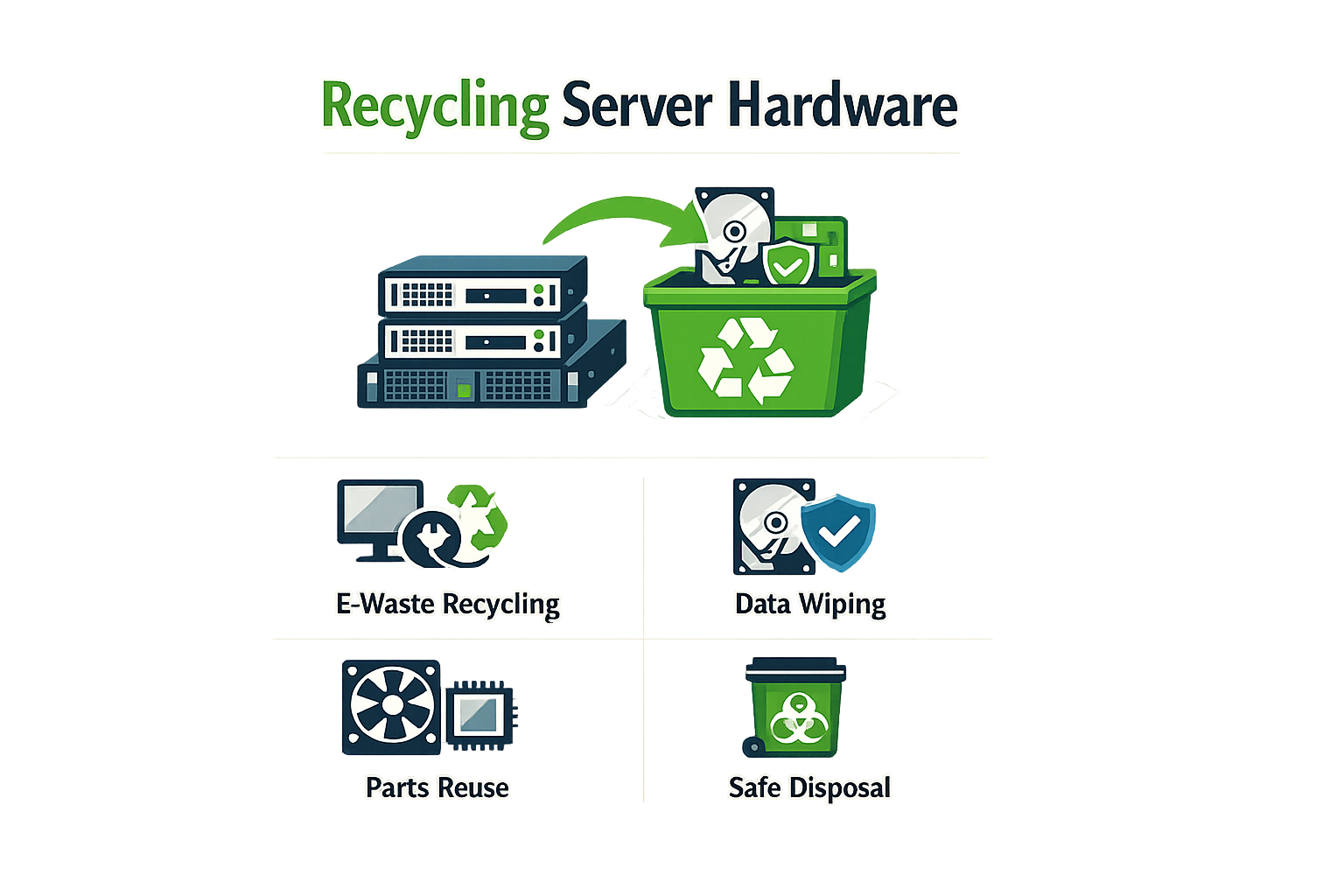
Once data sanitization is complete, the next step is determining how to handle the physical hardware. This decision point separates operators who understand downstream accountability from those who treat decommissioned servers as generic scrap metal. The method you choose — recycling, resale, or destruction — has direct implications for both environmental compliance and the documentary record that survives audit.
Evaluate Hardware Disposition Options
Server hardware can follow three primary paths: certified recycling through an R2v3 or e-Stewards processor, resale into the secondary market after verified data destruction, or physical destruction when the risk profile demands it. Each path requires different documentation and different vendor posture. A processor holding R2v3 certification operates under a framework that includes environmental controls and chain-of-custody requirements; a processor without certification may offer a lower price but leaves you with no verified position if the equipment resurfaces in an unauthorized channel.
The trade-off is straightforward. Resale maximizes asset recovery value but requires confidence that data destruction was complete and that the buyer won't attempt recovery. Physical destruction eliminates data risk entirely but forfeits residual value and generates waste that must itself be managed under environmental regulations. Recycling splits the difference — it allows material recovery while maintaining a documented chain of custody through a certified processor.
Verify Processor Credentials Before Pickup
The operator's posture matters more than the marketing material. Before scheduling pickup, confirm that the vendor holds current certification from a recognized body — R2v3, e-Stewards, NAID AAA for destruction-only engagements — and request a copy of the certificate with an issue date within the last three years. A certificate of data destruction is only as credible as the underlying process that generated it. If the vendor cannot produce current certification or if the methodology described in their documentation differs from the methodology in their public profile, that gap is a failure mode waiting to happen.
Data sanitization standards like NIST 800-88 provide the framework, but the processor's adherence to that framework is what survives discovery. Ask whether the vendor performs on-site destruction or ships assets to a downstream facility. If they subcontract any portion of the destruction process, ask for the subcontractor's credentials and confirm that your contract explicitly requires chain-of-custody documentation through the final disposition step. Undisclosed downstream subcontracting is a recurring gap in vendor profiles — the primary contractor holds certification, but the actual destruction happens at a facility with no verified position.
Document the Disposition Method
Once you select a processor and a disposition method, document the decision in the decommissioning log with enough specificity that an auditor can reconstruct the chain of custody. Record the vendor name, certification type and number, pickup date, asset serial numbers, and the destruction or recycling method specified in the contract. If the hardware is being resold, document the buyer and the verified data destruction method applied before transfer. If it is being destroyed, specify whether the method is shredding, crushing, degaussing, or another approved technique.
The documentary record is the operator's primary defense in a post-incident review. If a decommissioned server resurfaces with recoverable data, the question the regulator will ask is not whether you intended to destroy the data — the question is whether you can prove you did. The proof is in the certificate, the contract language, and the chain-of-custody log. Anything less than serialized tracking and vendor-signed documentation leaves you exposed.
10. Update Inventory
The IT inventory management system is the documentary record of what you own, where it is, and what happened to it. When a server moves from production to decommissioned status, that change must appear in the inventory before the asset leaves the building. If the inventory still shows the server as active when the truck arrives, you have a gap — and gaps are what auditors find.
Update the inventory record to reflect the new status: decommissioned, pending pickup, or retired. Include the decommissioning date, the method of data destruction (if already completed), and the scheduled pickup date. If the server contained regulated data, note that classification in the inventory record. The goal is to create a timeline that shows the asset's full lifecycle, from acquisition through retirement, with no missing intervals.
What the Inventory Record Must Contain
A complete inventory entry for a decommissioned server includes hardware specifications, serial numbers, original deployment date, and data classification. Your checklist for a thorough asset inventory must include hardware specifications, software and applications, network dependencies, and data classification. These fields are not optional — they are the minimum required to answer the question an auditor will ask: what was on this server, and where did it go?
If the server held ePHI, PCI data, or other regulated information, the inventory record must state that explicitly. If the server was part of a clustered environment or had dependencies on other systems, document those relationships. The inventory is not just a list of assets; it is the map that shows how your infrastructure was connected and how you dismantled it in a controlled sequence.
Inventory as Chain-of-Custody Foundation
The inventory update is the first step in the chain-of-custody documentation that will follow the server through pickup, transport, and final disposition. When the ITAD vendor generates a certificate of data destruction, that certificate will reference the serial numbers you provided. If those serial numbers do not match the inventory, the certificate is worthless in a regulatory review.
In our editorial review of vendor profiles, we see this failure mode repeatedly: the certificate lists assets that do not appear in the customer's inventory, or the inventory shows assets that were never included in the pickup manifest. The mismatch is not always the vendor's fault — it often starts with an inventory system that was not updated before the engagement began. Update the inventory now, before the vendor sees the asset list, so that every serial number in the pickup manifest has a matching inventory record with a decommissioned status and a documented reason for retirement.
11. Inform Vendors and Support
Once the server is marked for decommissioning, notify every vendor and support service tied to that hardware. This includes maintenance contracts, monitoring services, backup providers, and any third-party software support agreements. The goal is to cancel or transfer services before the asset leaves your facility, avoiding unnecessary billing and ensuring clean contract closure.
Identify Active Contracts
Pull a list of all active vendor relationships associated with the server. This includes hardware warranties, software maintenance agreements, remote monitoring services, and cloud backup subscriptions. If the server was covered under a multi-year support contract, determine whether the remaining term can be transferred to replacement hardware or if early termination is required. Missing this step can result in months of continued billing for services you no longer use.
Provide Written Notice
Send written notice to each vendor with the server's serial number, service tag, and decommissioning date. Many support contracts require 30 to 60 days' notice for cancellation, and verbal notification does not create an audit trail. The written record protects you if a vendor later disputes the cancellation date or attempts to charge for services rendered after the server was removed from production.
Confirm Cancellation in Writing
Do not assume the vendor processed your cancellation until you receive written confirmation. Request a cancellation reference number or confirmation email that includes the effective date. If the vendor requires a formal termination form, complete it immediately and retain a copy in the server's decommissioning file. This documentation becomes part of the chain-of-custody record if the asset is later involved in a compliance review.
Update Internal Records
Once vendor cancellations are confirmed, update your internal asset management system to reflect the change. Remove the server from any automated monitoring dashboards, backup schedules, and ticketing systems that reference the hardware. If the server was part of a vendor-managed service agreement, ensure the vendor removes it from their active inventory to prevent confusion during future audits.
12. Check Licensing Compliance
Before the truck arrives, you need to know which software licenses are tied to the servers you're decommissioning. This isn't about vendor goodwill — it's about avoiding unexpected true-ups, audit penalties, and orphaned licenses that still bill monthly.
Why License Accounting Matters
Most enterprise license agreements tie entitlements to specific hardware, MAC addresses, or processor counts. When you decommission a server, those bindings don't automatically release. If the license is transferable, you can reassign it to replacement hardware. If it's not, you need to document the decommissioning event for your next vendor audit. The worst outcome is paying for licenses on hardware that no longer exists while also paying for licenses on the replacement infrastructure.
In our review of decommissioning workflows, we've seen operators lose track of licenses during the asset-removal phase. The server leaves the building, but the license record stays active in the vendor's system. Six months later, the vendor audit flags the discrepancy, and the operator has no documentary proof that the hardware was retired.
What to Document
For each server in the decommissioning batch, record:
- Software product name and version
- License key or entitlement ID
- License type (perpetual, subscription, per-core, per-socket)
- Hardware binding (serial number, MAC address, processor count)
- Transfer eligibility (can it move to new hardware?)
- Vendor contact for license release or transfer
If the license is subscription-based, note the renewal date. If you decommission the server three months before renewal, you may be able to cancel early and avoid the next billing cycle. If the license is perpetual but tied to hardware, document the retirement date for the vendor's audit file.
Coordinate with Procurement
Your procurement or software-asset-management team should already have a license register. Cross-reference your decommissioning list against that register before the physical removal date. If there's a mismatch — a license on the register that you can't find on the server, or a server running software that's not in the register — resolve it before the hardware leaves the building. The post-removal reconciliation is harder and less audit-defensible.
For a deeper look at the full workflow around secure data destruction methods and how they intersect with compliance documentation, see our breakdown of the six primary methods and their audit trails.
13. Prepare for Physical Removal
Physical removal is where the documentary record meets the loading dock. The gap between what your inventory says left the building and what the transport team actually picked up is the gap that survives audit. If the serial numbers on the packing list don't match the serial numbers in your chain-of-custody log, you've introduced a failure mode that no certificate of data destruction will fix after the fact.
Staging and Access Control
Designate a controlled staging area where decommissioned servers will sit between final check and pickup. This area must be access-restricted — not the general loading dock, not a hallway near the data center exit. Every asset that enters the staging area gets logged by serial number, and every asset that leaves gets logged again. The two lists must reconcile before the truck departs.
If your facility has multiple exits or the staging area is shared with other operations, assign a witness from IT or facilities to monitor the removal process. The witness verifies that only decommissioned assets leave the building and that the transport team's packing list matches your internal manifest. This is not security theater — it's the control that prevents an auditor from asking why three serialized devices are missing from the chain of custody.
Logistics Coordination
Confirm the physical requirements with the transport team before removal day. Server racks, blade chassis, and storage arrays have weight and dimension constraints that standard freight equipment may not handle. If the vendor's truck arrives without the right lift gate or pallet jack, your removal timeline extends and your staging area stays occupied.
Document the removal plan in writing: date, time window, entry point, number of personnel, equipment type. Share this plan with facilities, security, and any department whose operations might be affected by the removal. The goal is zero surprises on pickup day and a clean handoff that leaves an audit-defensible record.
14. Verify Transportation Arrangements
The truck shows up on time, the crew has the right equipment, and the chain-of-custody paperwork matches what you sent the vendor three weeks ago. That is the outcome of verified transportation arrangements. The alternative — a driver without a manifest, a pickup window that conflicts with your data-center access policy, or a vehicle that cannot accommodate the pallet configuration you specified — creates gaps in the documentary record that auditors notice.
Confirm the vendor's logistics plan in writing. The confirmation should include the pickup date and time window, the vehicle type and capacity, the number of crew members, and the specific loading-dock location. If the vendor uses a third-party logistics provider, you need the name of that provider and the mechanism by which chain-of-custody transfers from your site to the processor. Undisclosed subcontracting in the transportation layer is a documented failure mode; if the vendor does not own the truck, you need to know who does and what their role is in the custody chain.
Verify that the transportation plan accommodates your physical constraints. If your servers are on the fourth floor of a building without freight elevators, the vendor needs to know that before the truck arrives. If your loading dock has restricted hours or requires advance scheduling with building management, that restriction must be in the vendor's logistics plan. The cost of a failed pickup — rescheduling fees, extended custody of decommissioned assets, and the operational disruption of a second mobilization — is material.
Document the final transportation arrangement in your decommissioning log. Include the vendor's written confirmation, the logistics provider's name if applicable, and the planned custody-transfer mechanism. This documentation becomes part of the audit trail; if the pickup fails or if chain-of-custody is later questioned, you need a record of what was agreed and what was communicated. The question the auditor will ask is whether you verified the plan before the asset left your control. The answer should be yes, and the evidence should be timestamped.
15. Schedule Removal Date
The removal date is not a calendar placeholder. It is the coordination point for chain-of-custody handoff, on-site witness protocols, and the vendor's documented pickup record. In our review of vendor profiles, the operators with the cleanest audit trails all shared one practice: they treated the scheduled removal date as the moment when their internal documentation met the vendor's chain-of-custody system, and they built their internal timelines backward from that point.
Why the Date Matters Beyond Logistics
The scheduled removal date determines when your internal chain-of-custody documentation must be complete. If your asset inventory, backup validation records, and pre-sanitization audit logs are not finalized before the vendor arrives, the documentary record will show a gap. Regulators and auditors do not accept 'we finished it later' as an explanation for missing timestamps in the chain-of-custody sequence.
The date also locks in the vendor's obligations. A professional ITAD operator will provide a pickup manifest template in advance, listing every serialized asset they expect to collect. If the manifest does not match your inventory on the scheduled date, the discrepancy must be documented in real time — not reconciled weeks later when memory has faded and the documentary trail has cooled.
Coordinate with All Stakeholders
The removal date requires coordination across IT operations, facilities, physical security, and the vendor's logistics team. Each party has a role in the chain-of-custody handoff:
- IT operations must confirm that all assets on the pickup manifest have completed the sanitization or removal steps documented in earlier phases.
- Facilities must ensure that loading dock access, freight elevator scheduling, and any required building permits are in place.
- Physical security must verify that the vendor's personnel match the names submitted in advance and that their credentials align with the operator's published verification status.
- The vendor's logistics team must provide the driver's name, vehicle identification, and estimated arrival window at least 24 hours before the scheduled date.
If any of these coordination points fail, the removal date slips, and the documentary timeline shows a gap. The question the auditor will ask is not 'did you eventually pick up the servers' but 'why does the chain-of-custody record show a delay, and what happened to the assets during that delay.'
Document the Scheduled Date in Writing
The scheduled removal date must appear in writing in at least three places: your internal decommissioning log, the vendor's signed service agreement, and the email thread confirming logistics. If the date changes, document the reason for the change and update all three records. A removal date that shifts without explanation is a red flag in any post-incident review.
For more context on how the removal date fits into the broader cost structure and vendor coordination, see Server Decommissioning Cost: What Enterprises Actually Pay.
16. Conduct Final Check
The final check is the operator's last opportunity to catch what the auditor will ask about later. Before the truck arrives, walk the physical asset list against the documented inventory, verify that every serialized device has a corresponding chain-of-custody entry, and confirm that the data destruction certificates reference the same asset identifiers your internal logs use. A mismatch here — a serial number transposed, a certificate that describes a different drive model, a missing signature on the backup validation form — becomes the gap that survives discovery.
What the Final Check Must Cover
Your checklist for a thorough asset inventory must include hardware specifications, software and applications, network dependencies, and data classification. Each category feeds the documentary record. Hardware specifications confirm what physically left the building. Software and application logs prove what was running on those assets before decommissioning. Network dependencies show which systems were isolated and when. Data classification determines which regulatory frameworks apply and what the destruction standard must be.
In practice, the final check is a cross-reference exercise. Compare the backup validation log against the asset inventory. Confirm that every device flagged for data destruction has a corresponding entry in the vendor's pickup manifest. Verify that licensing compliance documentation matches the software removal log. If a server held ePHI, confirm that the chain-of-custody form explicitly names the data classification and the destruction method that applies under HIPAA.
The Failure Mode
The recurring pattern we see in vendor assessments is the gap between the certificate of data destruction referenced in marketing material and the certificate outlined in the vendor's published methodology. This discrepancy surfaces during the final check. If the vendor's sample certificate shows batch-level reporting but your compliance framework requires serialized reporting, the final check is where you catch it — before the truck leaves and the documentary record is locked.
For enterprises working through their first large-scale server decommissioning, understanding the full scope of ITAD certifications provides the context for what the final check must verify. The certificate you receive after pickup must align with the standard your vendor claims to follow.
17. Prepare Documentation for Audit
The decommissioning record is what survives discovery. When a regulator or auditor asks to see the chain of custody for a specific asset, the question they're really asking is: can you prove, with serialized documentation, that this server was handled according to the contract language you signed?
In our editorial review of 35 vendor profiles, the certificate of data destruction referenced in marketing material often differs structurally from the certificate outlined in the vendor's published methodology. Before the truck arrives, compile every document that establishes what happened to each asset: the asset inventory with serial numbers, the backup validation logs, the configuration export files, the vendor contract with data destruction methodology specified, and the approved decommissioning request from management.
What the Audit Package Must Contain
The documentary record for each server includes hardware specifications, data classification tags, the date networking was disconnected, and the name of the person who performed the final check. If the server touched regulated data — ePHI, cardholder data, or nonpublic personal information — the audit trail must show that you tracked it individually, not in batches.
Your checklist for a thorough asset inventory must include hardware specifications, software and applications, network dependencies, and data classification. Regulators expect serialized chain-of-custody for the full retention period, and anything that touched sensitive data must be tracked with precision.
Pre-Pickup Documentation Review
Before the vendor takes possession, verify that the decommissioning log matches the physical inventory. Cross-reference serial numbers against the approved removal list, confirm that every backup validation passed, and ensure that the data destruction certificate language in the vendor contract aligns with the methodology they will actually execute. If the contract says "NIST 800-88 compliant" but the certificate template references a different standard, resolve that gap before the truck leaves.
For additional context on what data destruction standards mean in practice, see Secure Data Destruction Services: 6 Methods and Their Uses.
Store the compiled audit package in a secure location with access controls. The Morgan Stanley case demonstrated that the failure wasn't in the destruction methodology itself but in the documentation that should have survived the auction process. The question the auditor will ask is not whether you destroyed the data, but whether you can prove you destroyed it according to the standard you committed to.
18. Ensure Physical Security
Between the moment a server is disconnected and the moment it leaves the building, the asset is in its most vulnerable state. The operating system is off, the network cable is pulled, and the drives still contain whatever data was last written to them. Physical security during this window is not about preventing theft — it is about preventing unauthorized access to storage media that has not yet been sanitized.
Servers awaiting pickup should be stored in a locked room with controlled access. The room should have a documented access log, and the list of authorized personnel should be limited to those directly involved in the decommissioning process. If the servers contain drives that held ePHI, payment-card data, or other regulated information, the storage area must meet the physical-security requirements of the applicable framework. For HIPAA-covered entities, that means a locked enclosure with access controls that survive audit. For PCI environments, it means a secure area that satisfies PCI DSS physical-security requirements.
The physical-security plan should include a procedure for after-hours or weekend pickups. If the vendor arrives outside normal business hours, someone with the authority to release the assets must be present, and the handoff must be documented in real time. A signed chain-of-custody form at 3 a.m. on a Saturday is still a chain-of-custody form, and it still needs to include serial numbers, asset tags, and the name of the person accepting custody.
Controlled Access and Accountability
The goal is simple: every person who enters the storage area should be identifiable, and every entry should be logged. If the facility uses badge-access systems, the logs should be retained for the same period as the decommissioning documentation. If the facility uses a manual sign-in sheet, the sheet should be part of the permanent record. In the event of a data breach or a regulatory inquiry, the question will be: who had physical access to the servers between disconnection and pickup? The answer needs to be specific.
For enterprises running secure data destruction services, the physical-security step is not optional. It is the mechanism that ensures the data destruction certificate, when it arrives, reflects a process that was under control from the beginning. If the servers were left in an unsecured loading dock for two days, the certificate is documenting a process that started after the control failure, not before it.
19. Communicate Removal to All Parties
The removal date is set, the documentation is ready, and the truck is scheduled. The question the auditor will ask later is not whether the removal happened, but whether everyone who needed to know about it was informed in writing before it happened. In our editorial review of chain-of-custody failures, communication breakdowns account for more post-incident confusion than any other single factor.
Who Needs to Know
The list of stakeholders extends beyond IT. Finance teams track asset disposition for tax and depreciation purposes. Legal and compliance teams need confirmation that data-bearing assets left the facility under documented chain of custody. Facility management needs advance notice for loading-dock scheduling and physical access coordination. The vendor's logistics team needs a primary contact and a backup in case the primary is unavailable on removal day.
If the servers touched regulated data—ePHI, cardholder data, or anything under SEC retention rules—the compliance officer needs written notice with the removal date, the vendor name, and the certificate-of-destruction delivery timeline. Regulators expect a clear record of who knew what and when they knew it. A post-removal email thread is not the same as pre-removal notification.
What the Notice Should Include
The removal notice is not a calendar invite. It is a documentary record. Include the vendor's legal entity name, the scheduled pickup window, the total count of assets by category (servers, storage arrays, networking gear), and the on-site point of contact with direct phone number. If the vendor is arriving with subcontractors or third-party logistics, name them in the notice.
State the expected chain-of-custody mechanism: serialized manifest, batch manifest, or photographic documentation. If the vendor's published methodology calls for serialized tracking but the logistics team plans to use batch manifests, that discrepancy needs to surface before the truck arrives, not during the post-pickup reconciliation.
For enterprises managing server decommissioning cost across multiple sites, the communication template should be standardized. The same notice format, the same distribution list, the same confirmation requirement. Variance in communication structure is variance in audit defensibility.
Confirmation and Acknowledgment
The notice goes out, but the mechanism is incomplete until you collect acknowledgments. Legal and compliance teams should reply confirming receipt. The facility manager should confirm loading-dock availability. The vendor should confirm the logistics plan and the name of the driver or team lead arriving on-site. Without acknowledgments, the notice is a one-way transmission with no proof of receipt.
If a stakeholder does not acknowledge within 24 hours, follow up directly. The removal process depends on coordinated timing. A missed notice to facility management can mean a locked loading dock and a rescheduled pickup. A missed notice to compliance can mean a post-removal scramble to reconstruct the timeline when the auditor asks for it six months later.
20. Monitor Removal Process
The truck is in the loading dock, the vendor crew has the manifest, and the hardware is moving. This is the moment when chain-of-custody transitions from your control to theirs — and it is the moment most IT teams walk away from. That is a mistake.
Monitoring the removal process means having a designated witness present during the entire pickup. This person verifies that every serialized asset on the manifest is physically loaded, that no additional hardware leaves the building, and that the crew follows the documented handling protocol. The goal is not to micromanage the vendor; the goal is to create a contemporaneous record that survives audit. If an asset goes missing or a regulatory question emerges six months later, the question the auditor will ask is: who was there, and what did they write down?
What the Witness Documents
The witness logs the following in real time: the time the crew arrived, the names and IDs of the personnel handling the equipment, the serial numbers of each asset as it is loaded, any deviations from the agreed handling protocol, and the time the truck departed. This log becomes part of the chain-of-custody file. It is not a formality — it is the documentary record that proves the handoff occurred as specified.
If the vendor's crew attempts to load hardware not on the manifest, the witness stops the process and resolves the discrepancy before the asset leaves the building. If an asset listed on the manifest is not present, the witness notes the gap and ensures the manifest is updated before signatures are exchanged. The underlying control is simple: nothing moves without verification, and nothing is verified without documentation.
Handling Deviations
Deviations happen. A pallet is damaged. A forklift is delayed. A serialized asset does not match the manifest description. The witness does not ignore these events; the witness documents them, photographs them if necessary, and ensures the vendor's on-site lead acknowledges the deviation in writing before the truck leaves. The goal is not to assign blame in the moment — the goal is to ensure the record is complete and accurate.
In our editorial review of vendor profiles, we have seen operators whose crews carry pre-signed manifests and expect the customer to wave them through. That is not adequate. The manifest is signed after the witness confirms the load, not before. The signature is the customer's attestation that the documented handoff occurred as specified. If the witness did not see it, the signature does not happen.
Post-Removal Confirmation
Once the truck departs, the witness immediately files the signed manifest, the contemporaneous log, and any photographs or deviation notes into the decommissioning project file. This package is the documentary foundation for the next step: confirming completion of removal. The record is complete, timestamped, and audit-defensible — or it is not a record at all.
21. Confirm Completion of Removal
The truck has left. The cage is empty. The decommissioning project is not finished.
Confirming completion of removal means verifying that every serialized asset listed on the pickup manifest has physically left the facility and that the chain-of-custody documentation reflects that transfer. This is the operator's last internal checkpoint before the asset enters the vendor's downstream process. If the manifest shows fifteen servers but only fourteen left, the discrepancy must be resolved before the project closes — not discovered six months later when an auditor asks for the full serialized record.
What Completion Confirmation Actually Requires
A visual inspection of the decommissioning area is the minimum standard. Walk the cage, the staging area, and any temporary holding zones. Look for orphaned drives, loose chassis components, or assets that were supposed to leave but didn't. The manifest is the documentary anchor — if an asset appears on the manifest but remains on-site, the chain-of-custody record is broken from the start.
The pickup receipt signed by the driver and the facility representative is the first document an auditor will request in a post-incident review. It must list every asset by serial number, match the pre-pickup manifest, and carry signatures from both parties. If the driver signed for "15 servers" without serials, the receipt does not meet the chain-of-custody standard that survives discovery.
Cross-check the signed receipt against the original decommissioning inventory. Any discrepancy — a missing serial, an asset not picked up, an extra asset added at the last minute — must be documented in the decommissioning log with an explanation and a resolution timestamp. The goal is a clean one-to-one match: every asset inventoried, every asset removed, every asset documented.
The Downstream Handoff
Once the vendor confirms receipt at their processing facility, request a facility-level intake confirmation. This is separate from the pickup receipt. The intake confirmation verifies that the assets arrived at the vendor's location, were checked in against the manifest, and entered the vendor's internal tracking system. The gap between pickup and intake is where assets can be lost, misrouted, or commingled with another client's batch.
In our review of vendor profiles, the operators with the strongest chain-of-custody posture provide intake confirmation within 24 to 48 hours of pickup, with serialized asset lists that match the pickup manifest. Vendors who provide only batch-level intake summaries or who delay confirmation for weeks introduce risk that the documentary record cannot close.
For enterprises managing server decommissioning cost as part of a broader IT asset disposition strategy, the intake confirmation is also the trigger for the next phase of vendor billing. If the vendor's invoice arrives before the intake confirmation, the sequence is reversed — payment should follow documented receipt, not precede it.
Document the Confirmation in the Decommissioning Log
The decommissioning log must reflect three timestamps: pickup completion (when the truck left), facility intake confirmation (when the vendor confirmed receipt), and any discrepancies resolved. This creates the audit trail that connects the internal inventory to the vendor's downstream process. If an asset goes missing between pickup and intake, the log shows when the gap was identified and how it was closed.
The log entry for this step should include the name and signature of the facility representative who confirmed the physical removal, the driver's name and the transport company, and the reference number from the pickup receipt. This is the operator's defense if a question arises months later about whether a specific asset actually left the building.
22. Update Decommissioning Log
The decommissioning log is the documentary record that survives audit. When regulators or internal compliance teams reconstruct what happened to a retired server, they start with the log — not with email threads, not with verbal assurances, but with the serialized record of what left the facility and when.
Your log must capture asset-level detail: serial numbers, model identifiers, the date and time of physical removal, the name of the receiving vendor, and the destruction method specified in the contract. If the server touched regulated data — ePHI, cardholder data, controlled unclassified information — the log must also record the data classification and the corresponding sanitization standard applied. Generic batch entries do not hold up when the question is whether a specific drive was destroyed or resold.
What the Log Must Contain
In our review of chain-of-custody documentation across vendor engagements, the logs that survive discovery share a common structure. They record the asset identifier, the decommissioning date, the responsible party who authorized removal, the vendor who took custody, and the destruction certificate reference number. If any of those fields are missing, the log is incomplete.
The log is also the mechanism that links your internal inventory system to the vendor's chain-of-custody documentation. When the certificate of data destruction arrives weeks after pickup, you cross-reference it against the log to confirm that every serial number listed for destruction matches what left your facility. If the certificate lists fewer assets than the log, you have a gap — and that gap is the failure mode that triggers regulatory exposure.
Linking the Log to Vendor Documentation
The decommissioning log is not a standalone artifact. It connects to the data destruction certificate, the transportation manifest, and the final disposition report from the downstream processor. In practice, this means the log must include a field for the certificate ID or tracking number provided by the vendor. When you receive the certificate, you update the log to reflect receipt and verification. If the certificate does not arrive within the agreed timeline, the log flags the missing documentation — and you escalate before the retention window closes.
For organizations subject to secure data destruction standards, the log also serves as evidence that the specified method was contractually required. If the contract called for NIST 800-88 Rev. 2 purge-level sanitization, the log should reference that standard by name. If the vendor's certificate later describes a lower standard, the discrepancy is documented — and your position in any subsequent review is defensible.
23. Assess and Report
After the decommissioned servers leave the building, the work isn't finished. The assessment phase is where you capture what worked, what failed, and what documentation gaps emerged during the process. In our review of vendor profiles, operators who skip this step often repeat the same chain-of-custody errors across multiple decommissioning cycles.
Document Process Deviations
Record every instance where the actual decommissioning process deviated from the planned checklist. If a backup validation failed and required a second attempt, document it. If a vendor arrived two hours late and compressed the witness period, note the time stamps. These deviations are not failures — they are data points that inform whether your checklist assumptions matched operational reality.
The documented deviations form the basis for process refinement. A single missed serial number during inventory might indicate that your asset tracking system needs tighter integration with the decommissioning workflow.
Evaluate Vendor Performance
If you engaged an ITAD vendor, assess their performance against the contract language and the commitments in their published methodology. Did the certificate of data destruction arrive within the agreed timeframe? Does it reference the specific serial numbers from your manifest, or does it provide only batch-level documentation?
Vendor assessment is not about blame — it is about verifying that the documentary record you now hold will survive the question an auditor will ask: Can you prove this specific device was sanitized to the standard you claim? If the answer requires inferring details not present in the certificate, that gap belongs in your assessment report.
Identify Documentation Gaps
Review the full documentary trail from initial inventory through final certificate receipt. Missing elements often include:
- Witness signatures for physical destruction events
- Time-stamped photographs of the loading process
- Confirmation that all devices listed on the outbound manifest appear on the destruction certificate
- Evidence that backup media was tracked separately from production hardware
These gaps do not always indicate vendor failure. Sometimes the gap exists because the contract did not specify the requirement. Either way, the assessment phase is where you identify what the next cycle needs to include.
Report to Stakeholders
Prepare a summary report for management, IT leadership, and compliance teams. The report should include:
- Total asset count decommissioned (by device type and data classification)
- Any deviations from the planned timeline or process
- Vendor performance assessment with specific examples
- Identified documentation gaps and recommended remediation
- Cost variance from the original budget (if applicable)
This report is not a formality. It is the mechanism by which institutional knowledge transfers from one decommissioning cycle to the next. Without it, each cycle starts from the same baseline rather than building on prior learning.
For guidance on evaluating vendor certifications and understanding what documentation standards should look like, see our ITAD Certifications: What R2v3, NAID AAA and e-Stewards Cover analysis.
24. Train Staff on New Systems
The decommissioned server is gone. The replacement infrastructure is live. The gap between those two states is where operational failures cluster — and where staff training determines whether the transition holds or fractures under load.
When a server moves out of production, the processes that depended on it do not disappear. They shift to new systems, new interfaces, new access patterns. If the people running those processes do not understand the new mechanics, the risk surfaces immediately: misconfigured access controls, data routed to the wrong endpoint, backup jobs pointing at decommissioned paths. Training is not orientation; it is the mechanism that prevents those failure modes from reaching production.
What Training Must Cover
The training scope is defined by what changed. If the decommissioned server handled authentication, staff need to understand the new authentication flow — where credentials live, how session management works, what the fallback path is when the primary fails. If it hosted application logic, they need to know where that logic moved, how to verify it is running, and what the monitoring dashboard shows when it is not.
Document the delta between the old system and the new one. The delta is the training material. Do not train staff on the entire replacement stack; train them on what is different and what they must do differently as a result. The rest is reference material, not day-one training content.
Timing and Delivery
Training happens before the decommissioned system goes offline, not after. If staff encounter the new system for the first time during a live incident, the training has already failed. Schedule sessions during the parallel-run window when both systems are operational and staff can compare behavior in real time.
For operator-grade environments, hands-on sessions work better than slide decks. Walk through the new system with the actual interfaces staff will use. Show them where the logs live, how to trigger a manual failover, what the error states look like. If the new system includes secure data destruction workflows that differ from the old process, demonstrate the full chain — from asset tagging through certificate generation.
Verification and Documentation
Training without verification is a checkbox exercise. After the session, confirm that staff can execute the critical paths without supervision. This does not require formal testing; it requires observation. Watch someone run a backup job on the new system. Watch them query the new monitoring dashboard. If they hesitate or guess, the training did not land.
Document who attended, what was covered, and when the session occurred. This documentation serves two purposes: it establishes that training happened (which matters in audit), and it creates a reference point for future onboarding. When the next person joins the team, the training record shows them what the baseline is.
The decommissioning process does not end when the server leaves the building. It ends when the people who depended on that server can operate the replacement without friction. Training is the final control in that chain.
25. Review Incident Response Plan
The incident response plan is the documented procedure your organization follows when something goes wrong. Server decommissioning changes the infrastructure landscape — removed servers mean removed endpoints, altered network dependencies, and shifted data flows. If your incident response plan still references decommissioned assets, your team will waste critical minutes during an actual incident chasing servers that no longer exist.
Update Asset References
Every decommissioned server that appears in your incident response documentation must be removed or marked as retired. This includes runbooks, escalation procedures, and disaster recovery playbooks. If a security incident triggers a response that calls for isolating a specific server by hostname or IP, and that server was decommissioned three months ago, the responder will lose time confirming the asset no longer exists — time that matters when containment windows are measured in minutes.
The same principle applies to backup and recovery procedures. If your incident response plan assumes certain data resides on specific servers, and those servers are now gone, the plan needs to reflect where that data actually lives. Document the new locations, the new custodians, and the new recovery procedures before you close the decommissioning project.
Validate Communication Paths
Decommissioning often changes how systems communicate. A server that previously handled authentication, logging, or monitoring may have been replaced by a different system or consolidated into a virtualized environment. Your incident response plan must reflect these changes. If the plan instructs responders to check logs on a specific server, and that server no longer exists, the instruction is worse than useless — it actively misleads the responder.
Review every communication path and dependency diagram in your incident response documentation. Confirm that the paths still exist, that the endpoints are correct, and that the contact information for system owners is current. This is not a theoretical exercise. In a live incident, responders follow the plan as written. If the plan is wrong, the response will be wrong.
Test the Updated Plan
Updating the documentation is necessary but not sufficient. The incident response plan must be tested after the decommissioning is complete. Run a tabletop exercise or a limited simulation that exercises the updated procedures. Confirm that responders can locate the correct systems, that the communication paths work as documented, and that the escalation procedures reach the right people.
This is where the chain-of-custody documentation from earlier steps becomes relevant again. If an incident involves data that was previously stored on a decommissioned server, your response team needs to know where that data went, who handled it, and what destruction or migration procedures were applied. The secure data destruction methods used during decommissioning should be part of the incident response context — if an auditor or regulator asks what happened to specific data, the answer must be immediate and documentary.
26. Archive Relevant Documents
The documentary record is what survives audit. When the regulator or internal compliance team asks for proof of proper decommissioning three years after the fact, the only answer that holds up is a complete, retrievable archive of the process documentation. This step is not administrative housekeeping — it is the final control that determines whether your decommissioning process can be defended.
Archive every document generated during the server decommissioning process: the initial approval memo, the asset inventory with serial numbers, backup validation logs, data destruction certificates, chain-of-custody forms, vendor contracts, and removal confirmation receipts. Store these in a secure, access-controlled repository with retention policies that meet your industry's regulatory requirements. For healthcare operators working under HIPAA, that means six years minimum; for financial services under SEC or FINRA oversight, the floor is typically seven years.
The archive must be immutable. Once a document enters the retention system, it cannot be edited or deleted until the retention period expires. This prevents post-incident tampering and ensures that the record presented to the auditor is the same record created at the time of decommissioning. In our editorial review of vendor profiles, we have seen operators lose audit defenses not because the process failed, but because the documentation was stored in a shared drive where files could be overwritten.
For operators managing server decommissioning at scale, consider integrating the archive step into the decommissioning cost structure — vendors who provide structured documentation packages often charge a premium, but that premium is materially cheaper than reconstructing a paper trail during discovery.
Test your archive retrieval process annually. Run a mock audit where a compliance lead requests the full decommissioning record for a randomly selected server from two years prior. If you cannot produce the complete packet within 24 hours, your archive process is not audit-defensible.
27. Communicate Lessons Learned
The final step in any server decommissioning effort is the one most operators skip: documenting what went wrong, what went right, and what the next project team needs to know before they start. In our editorial review of decommissioning workflows across enterprise IT teams, the absence of a structured post-mortem is the single most common gap between the first decommissioning cycle and the tenth.
Lessons learned are not retrospectives. They are forward-looking documentation that improves the next operator's posture before the next project starts. The goal is not to assign blame but to catalog the decision points where the process diverged from the plan, the vendor commitments that held up under pressure, and the documentation gaps that surfaced during audit preparation.
What Belongs in the Lessons-Learned Document
The structure is simple: what happened, what we expected, what we'll do differently. For each phase of the decommissioning process, note the variance between the plan and the execution. If the vendor's certificate of data destruction arrived three weeks late, document it. If the chain-of-custody handoff required two site visits instead of one because serialized asset tags were missing, document it. If the backup validation step caught a configuration error that would have triggered a service outage, document it.
Include the vendor's name, the certification posture you verified before selection, and the specific contract language that governed the engagement. If the vendor delivered what they promised, that's worth documenting too — it informs the next RFP cycle. If they didn't, the failure mode belongs in the record so the next operator knows what to tighten in the contract.
Share the Document Where It Will Be Found
A lessons-learned document stored in one operator's email archive is not a lessons-learned document. It must live in the institutional knowledge base where the next project team will look: the IT operations wiki, the procurement playbook, the internal compliance repository. Tag it with the decommissioning project ID, the vendor name, and the regulatory framework that governed the engagement (HIPAA, FINRA, GDPR, or equivalent).
If your organization runs multiple decommissioning cycles per year, schedule a quarterly review where the project leads compare notes. The patterns that emerge across three or four cycles — the same vendor delay, the same documentation gap, the same backup validation failure — are the structural issues that require process changes, not one-off corrections.
The operator who documents the failure mode is the operator who prevents the next one. That's the mechanism. The lessons-learned step closes the loop.
Honorable Mentions
The 27 steps above form the spine of an audit-defensible server decommissioning process, but several adjacent considerations sit just outside the core sequence and still matter when the auditor shows up.
Asset Inventory Precision
Your checklist for a thorough asset inventory must include hardware specifications, software and applications, network dependencies, and data classification. The distinction matters: an inventory that lists "Dell server" is not the same as one that lists "Dell PowerEdge R740, serial ABC123, 8×2TB SAS drives, classified ePHI." The second version is what survives discovery.
Data Sanitization Standards
Data sanitization is the process of securely destroying data on storage devices to prevent recovery, with methods like NIST 800-88 providing standards for this process. In our review of vendor profiles, the gap between "we follow NIST 800-88" and "here is the specific Clear/Purge/Destroy method we applied to your asset class" is where the documentary record breaks. If your vendor's certificate does not specify the method and the drive type, the certificate is decorative.
Certification Posture Verification
Before the truck arrives, confirm that your vendor holds current R2v3 or e-Stewards certification and that the certificate covers the facility receiving your assets. A corporate-level certification does not automatically extend to a newly acquired subsidiary or a third-party downstream processor. The question the auditor will ask is whether the physical location that touched your equipment was certified at the time of service.
Downstream Subcontracting Disclosure
If your vendor subcontracts any part of the decommissioning process — transportation, data destruction, material recovery — the contract language must require written disclosure and your approval. Undisclosed downstream subcontracting is the structural failure mode in most post-incident reviews. The operator's posture on this question is the clearest signal of whether their chain-of-custody documentation will hold up in audit.
Conclusion
The twenty-seven steps in this checklist represent the operational minimum for server decommissioning that survives audit. Each step addresses a specific failure mode we've documented in vendor assessments and regulatory enforcement records. The Morgan Stanley case remains the canonical example: the failure wasn't in the destruction methodology itself but in the documentation that should have survived the auction process. When the chain-of-custody breaks, the certificate of data destruction becomes forensically meaningless.
In our editorial review of 35 vendor profiles, we noticed a recurring pattern: the certificate of data destruction referenced in marketing material often differed structurally from the certificate outlined in the vendor's published methodology. This gap matters most at the handoff — the moment your internal process ends and the vendor's begins. The documentation you prepare in steps 17, 22, and 26 is what holds up when an auditor asks to see the full record three years later.
The checklist is sequential for a reason. Backup validation before data removal, inventory updates before physical removal, and final documentation before the truck leaves — these dependencies aren't arbitrary. They reflect the order in which things break when you skip a step. The operator who runs this process correctly can hand the auditor a complete record without flinching. The operator who skips steps 4, 5, or 17 is the one explaining gaps in discovery.
For enterprises managing secure data destruction across multiple facilities, this checklist scales by serializing each asset through the same gate. The twenty-seven steps don't change when you're decommissioning three hundred servers instead of three — the process remains identical, the documentation remains audit-defensible, and the risk remains contained. That consistency is the mechanism that protects you.